Basic Features
Connect AI Providers
Adding a Cloud AI Provider
You can easily add a remote AI provider:
Click the
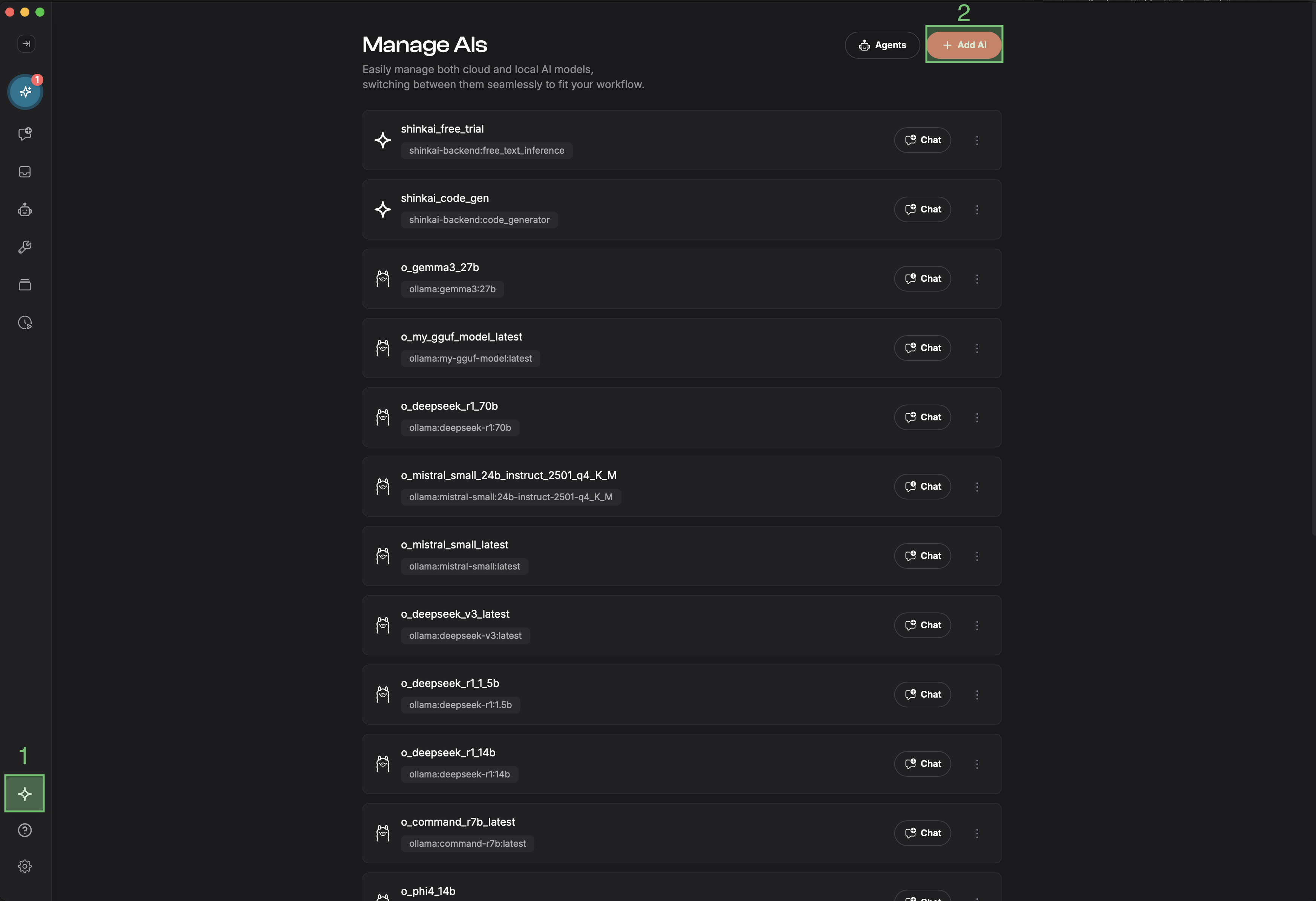
AIsoption on the left side menu > Click the+ Add AIbutton in the upper-right corner.
And you will see this selection menu with all the different supported providers. There are several model options available to choose from: OpenAI, Together AI, Ollama, Gemini, Groq, OpenRouter, Exo, and Claude.
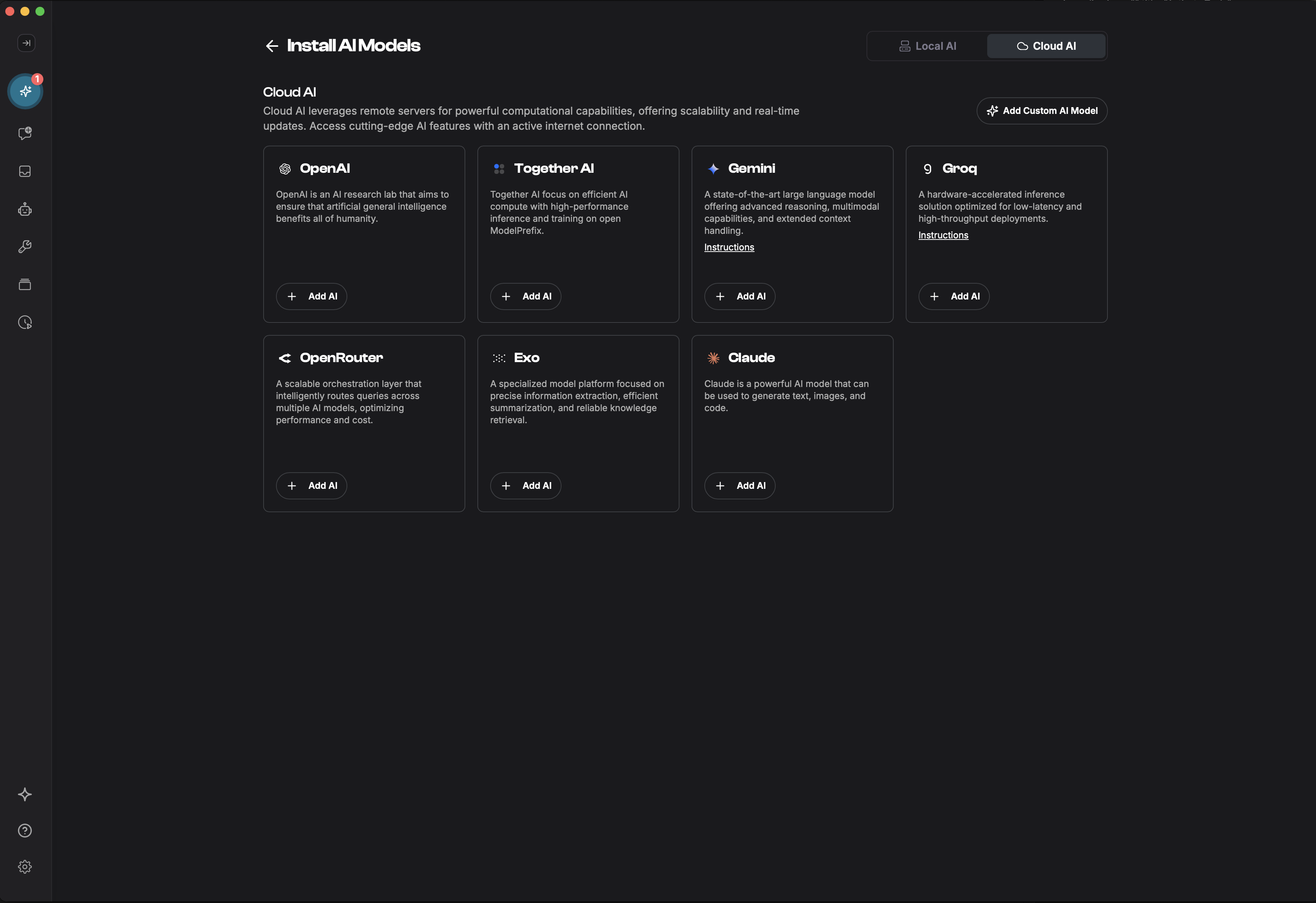
Shinkai makes it easy. Endpoints and models are already filled out for you. You just need to provide the API Key (except for Ollama). Select the provider and model you'd like to install and you're done.
API Keys - Quick Reference
Here are the direct URLs to get API Keys from different AI model providers:
| Provider | API Key URL |
|---|---|
| OpenAI | https://platform.openai.com/api-keys |
| Gemini | https://aistudio.google.com/app/apikey |
| Claude | https://console.anthropic.com/settings/keys |
| Groq | https://console.groq.com/keys |
| OpenRouter | https://openrouter.ai/settings/keys |
| Together AI | https://api.together.ai/ |