Shinkai Overview
Overview
The default view when you opening Shinkai Desktop is the Chats view. Here you can see four main sections in your app.
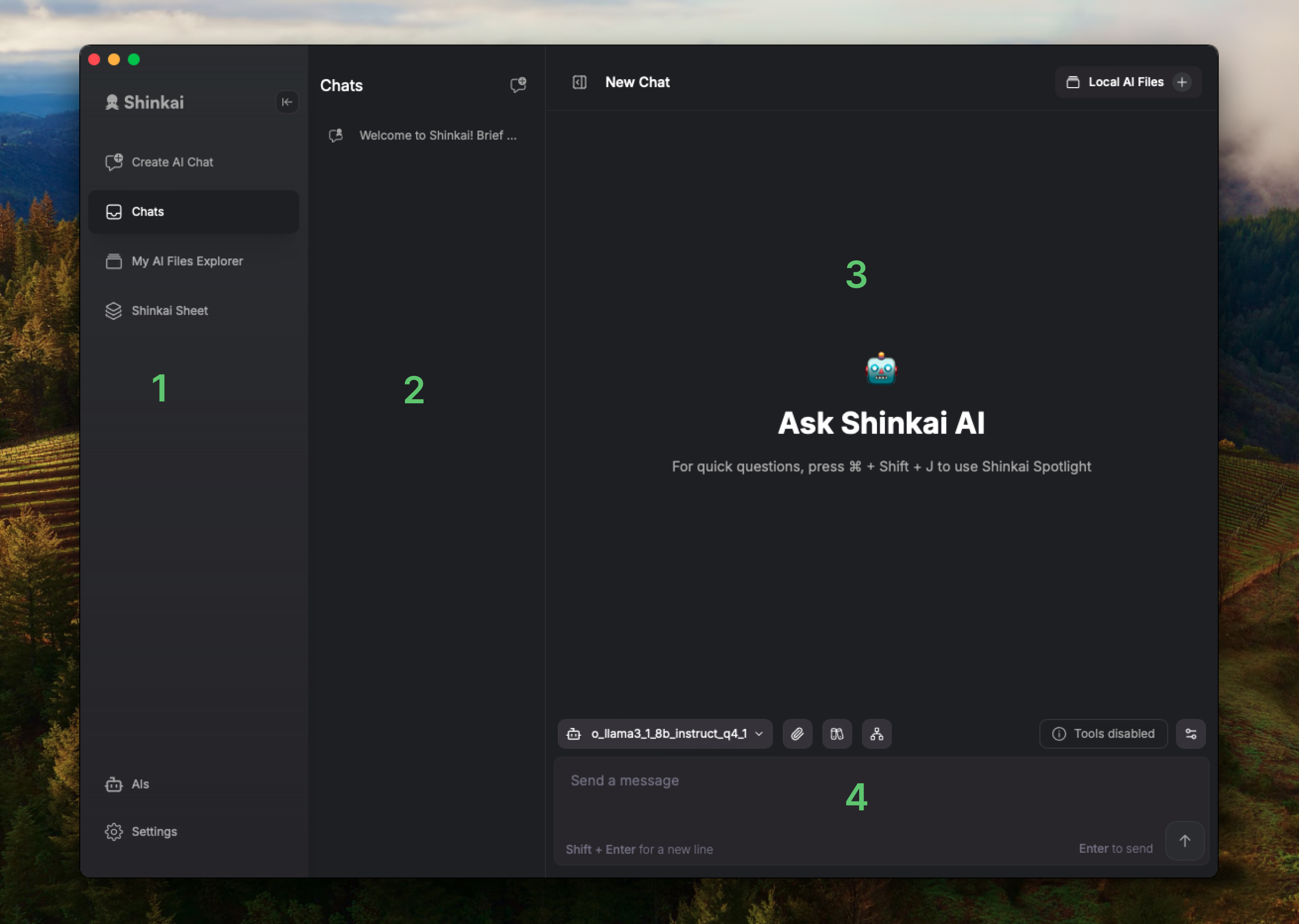
- 1. Left Sidebar Menu
- 2. Chats
- 3. AI Response Field
- 4. Input Field
On the left sidebar you access Shinkai's menu with different options.
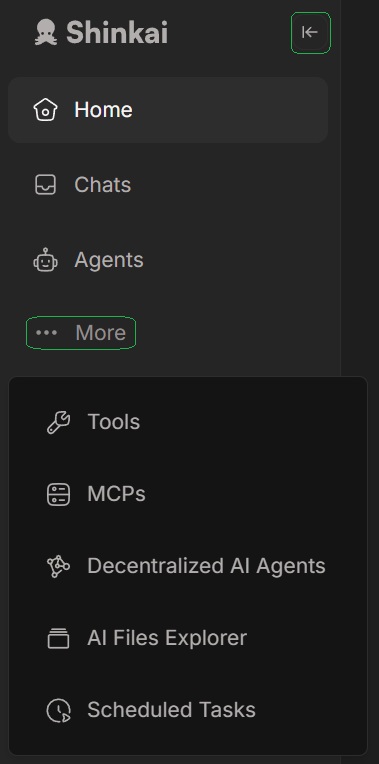
Here you can access the basic and advanced features of Shinkai.
You can Toggle the sidebar according to your needs.
Here's where you can access your chats. Notice there are two tabs at the top: Active and Archive.
To keep your active chats view clear, you can archive each by simply hovering your cursor over the chat and clicking the box icon.
In this section you will see the AI chat response once you have prompted it with instructions or questions.
Here is where you ask your questions, and provide prompts to your local AI. There are some options that we'll review more in depth in the following section.
Let's get down to the different options of the menu, to get you familiarized with the basic tools of Shinkai.