Basic Features
Ollama
Ollama is an innovative Al platform designed to democratize access to large language models (LLMs) by allowing users to run these models locally on their machines. This capability enhances privacy and control over data, as it mitigates concerns associated with cloud-based solutions.
Step-by-step installation guide
- 1Check if model is available for quick installationNote that all AI models in Shinkai are powered by Ollama. Before installing Ollama models manually, check the available models list for quick installation.
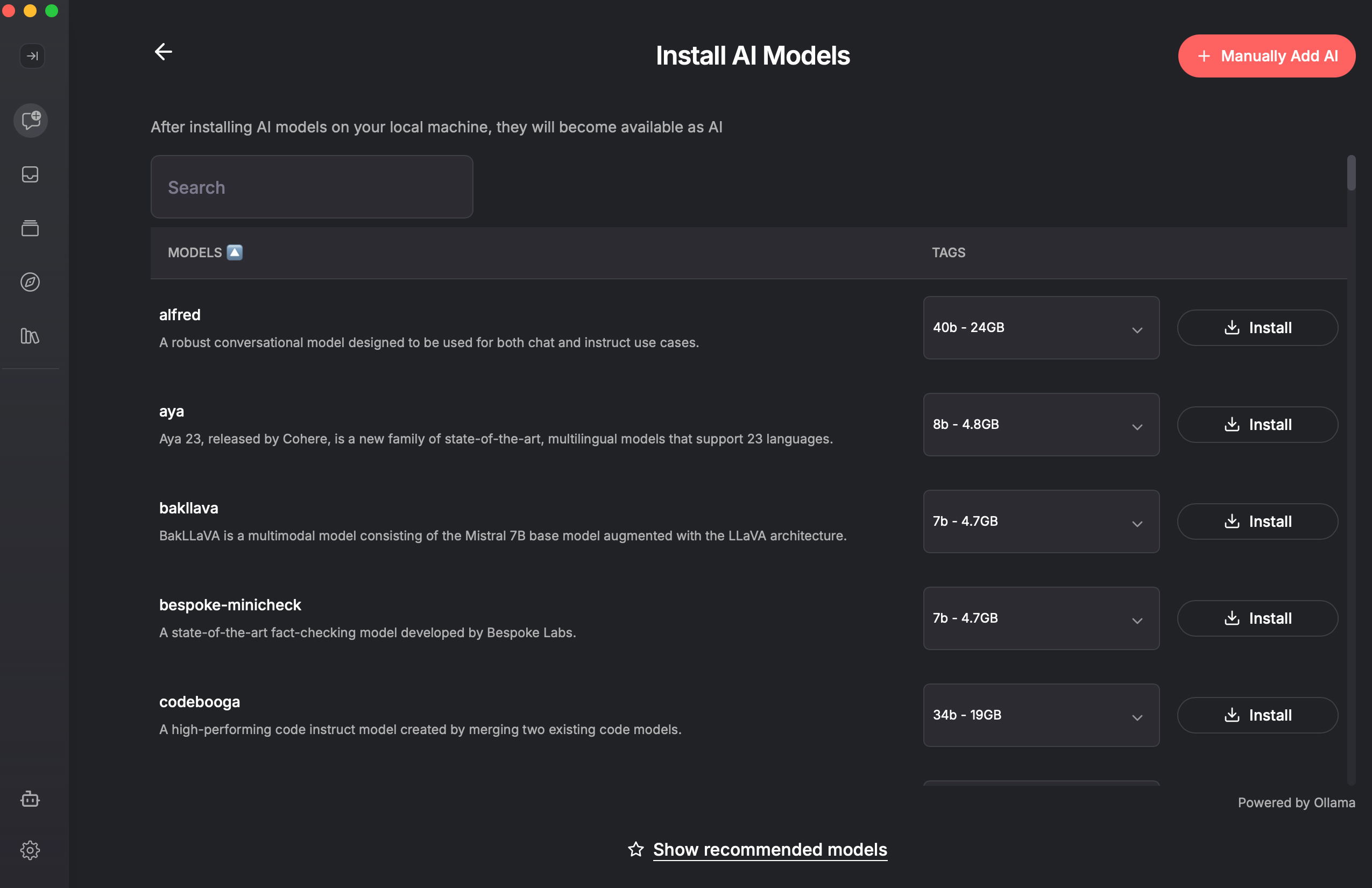
You can also check in your terminal the installed models in your device:
$ ollama ls
NAME                         ID              SIZE      MODIFIED
bespoke-minicheck:7b         66607904c165    4.7 GB    4 hours ago
aya:8b                       7ef8c4942023    4.8 GB    4 hours ago
llama3.1:8b-instruct-q4_1    e129e608a752    5.1 GB    3 days ago
snowflake-arctic-embed:xs    bf75350e1752    45 MB     3 days ago
If the model cannot be found in the quick installation list, proceed to step 2. - 2Pull new model from Ollama
Go to Ollama, and browse the model you want to install. Copy the code
ollama run <model>and paste it in your terminal.For example:
$ ollama run bespoke-minicheck
pulling manifest
pulling 78b0a71988a5... 100% ▕████████████████████████████▏ 4.7 GB
pulling 016aea4b585f... 100% ▕████████████████████████████▏  340 B
pulling 60ed67c565f8... 100% ▕████████████████████████████▏  506 B
pulling 7a3775deddf8... 100% ▕████████████████████████████▏   50 B
pulling a870cda2bff0... 100% ▕████████████████████████████▏  495 B
verifying sha256 digest
writing manifest
success
Check that the model is now installed in your device:
$ ollama ls
NAME                              ID              SIZE      MODIFIED
bespoke-minicheck:latest          66607904c165    4.7 GB    2 minutes ago
paraphrase-multilingual:latest    ba13c2e06707    562 MB    11 minutes ago
bespoke-minicheck:7b              66607904c165    4.7 GB    5 hours ago
aya:8b                            7ef8c4942023    4.8 GB    5 hours ago
llama3.1:8b-instruct-q4_1         e129e608a752    5.1 GB    3 days ago
snowflake-arctic-embed:xs bf75350e1752 45 MB 3 days ago - 3Add model to Shinkai
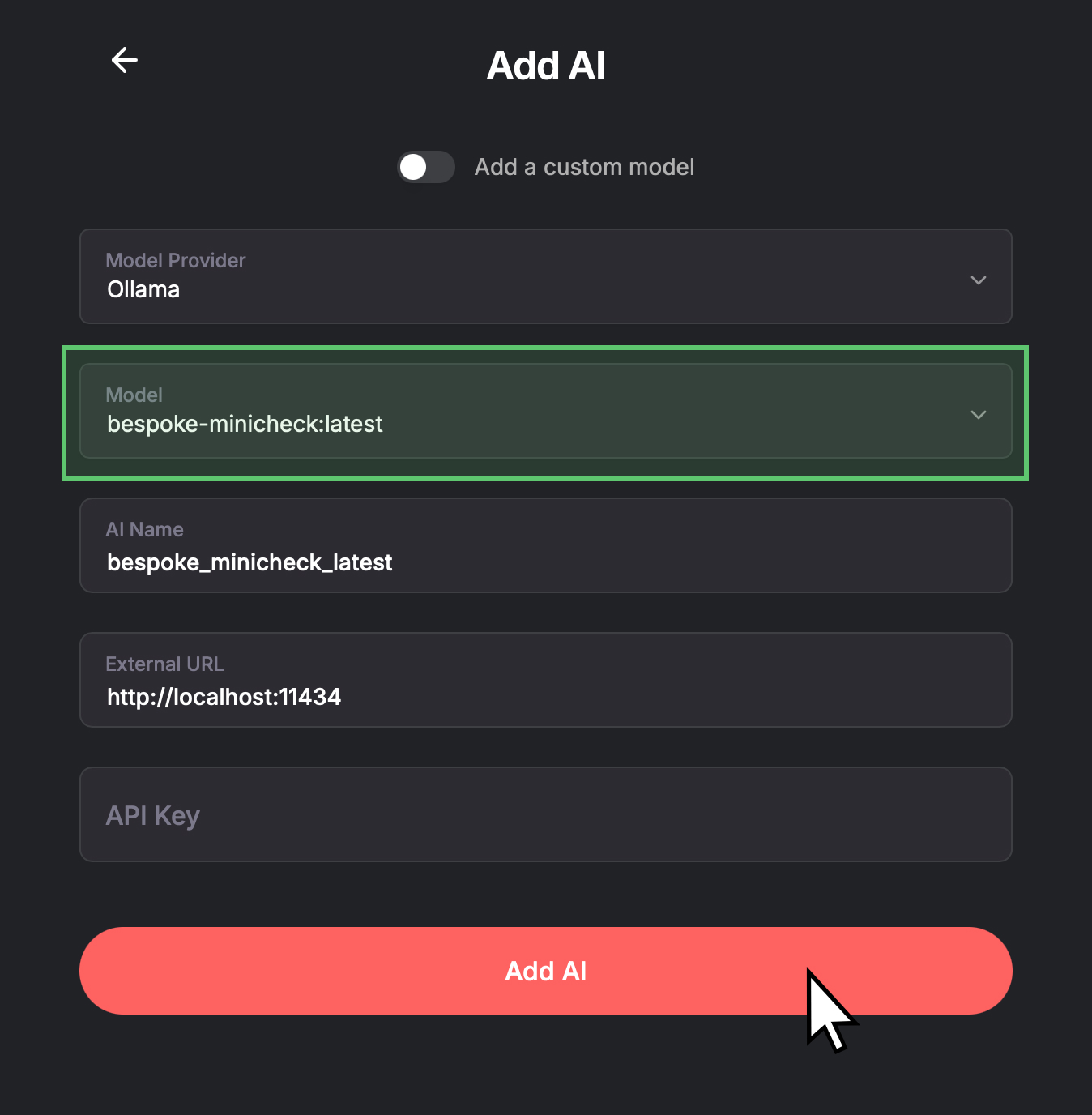
Open Shinkai > Go to
AIs>+ Add AI>+ Manually Add AI-
- Select Ollama in Model Provider.
-
- Select the Model Type you just pulled in step 2.
- (Optional) You can edit the AI Name --> This is how it will be displayed in your Chats view.
This field only accepts alphanumeric characters and underscores.
-
- You DO NOT need an API key, as Ollama runs locally on your device.
-
Congratulations! You have now installed a new Ollama model in your Shinkai Desktop App!