Basic Features
Gemini
Gemini AI is Google's advanced AI model developed by DeepMind, combining natural language processing and multimodal capabilities for handling both text and images. It is designed to deliver high accuracy and creativity across applications like chatbots, coding, and content generation, positioning itself as a competitor to other leading AI models.
Step-By-Step Installation
- 1Generate your API key
Go to your Google AI Studio dashboard > Click the
Get API Keybutton > Select a project (Gemini API) > Create Key.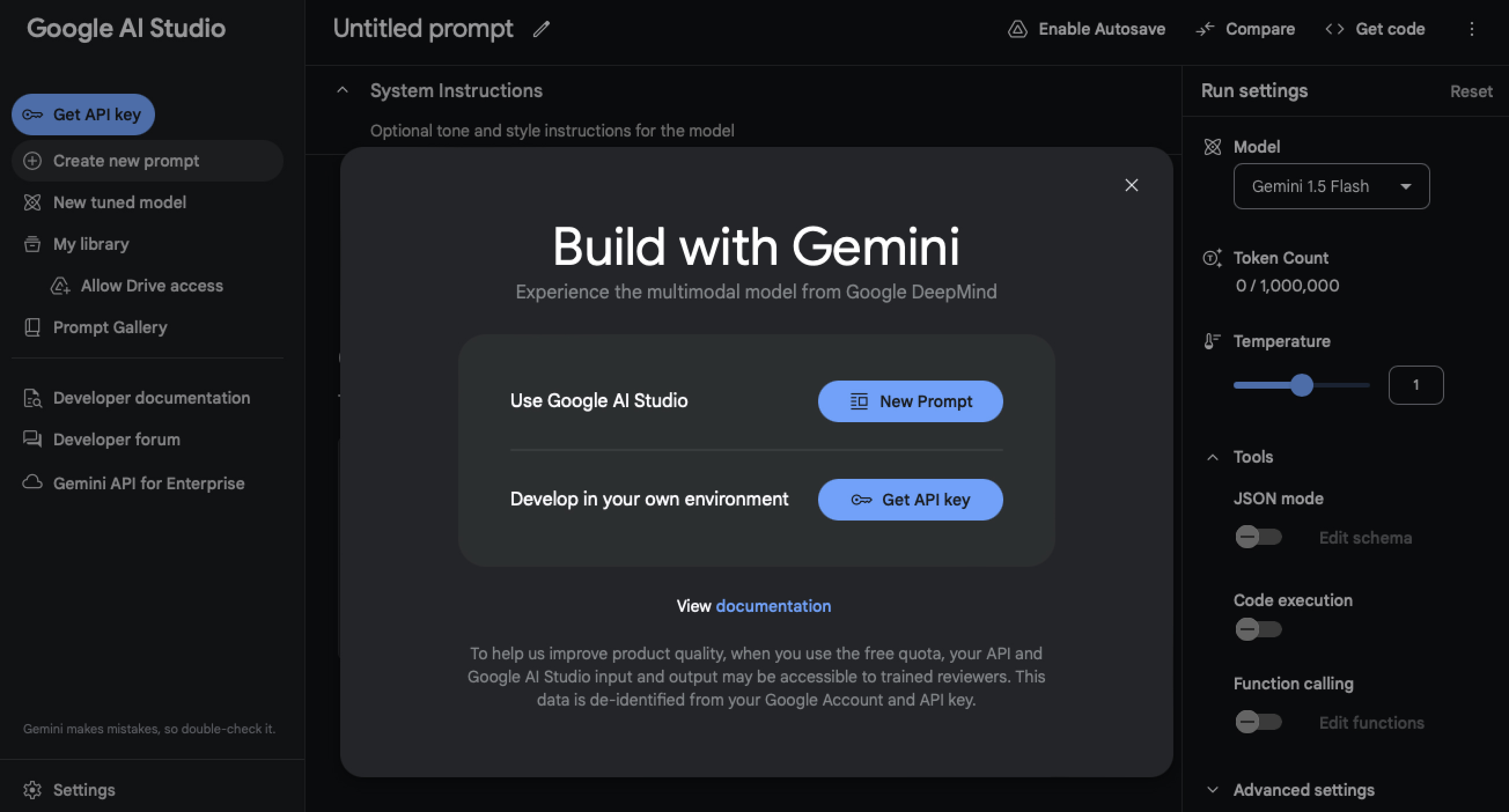 Copy the key > Go to your Shinkai Desktop App
 - 2Install the model in Shinkai
Open Shinkai > Go to
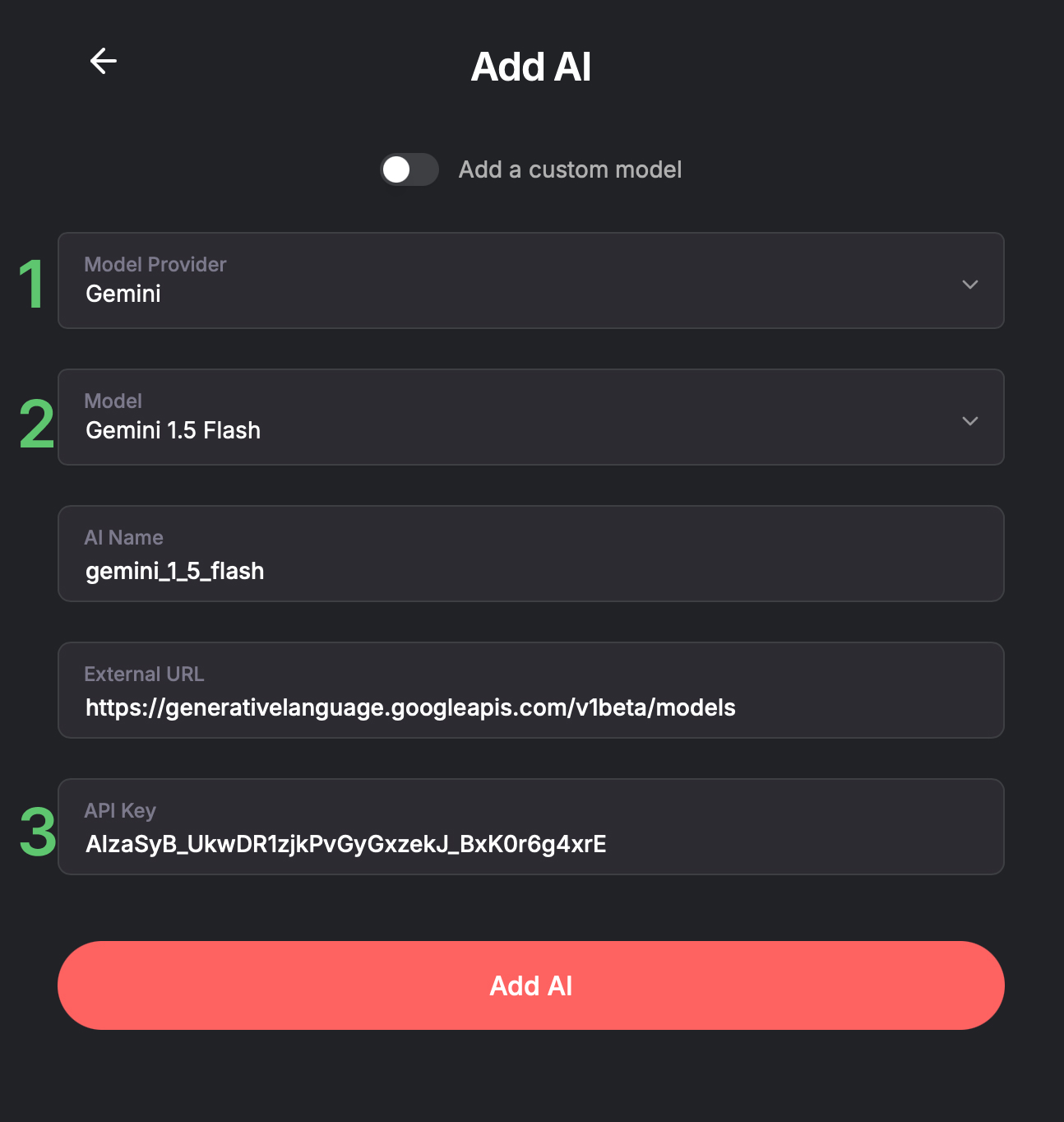
AIs>+ Add AI>+ Manually Add AI- Select Gemini in Model Provider.
- Select the Model Type you'd like to install (i.e.,
Gemini 1.5 Flash, Gemini 1.5 Pro, or Customfor other models)
(Optional) You can edit the AI Name --> This is how it will be displayed in your Chats view.
3. Paste the API key you created in step 1 >This field only accepts alphanumeric characters and underscores.Add AI