Basic Features
Groq
Groq AI models, powered by the GroqChip processor, offer ultra-fast AI inference with low-latency performance, ideal for real-time applications such as machine learning and data analytics. Integrating Groq AI models in shinkai can enable accelerated processing of AI tasks, improving efficiency and scalability.
Step-By-Step Installation
- 1Generate your API keyGo to your Groq's Console > Click theYou need to sign up or log in to get your API Key.
Create API Keybutton > Name your Key (e.g., Shinkai).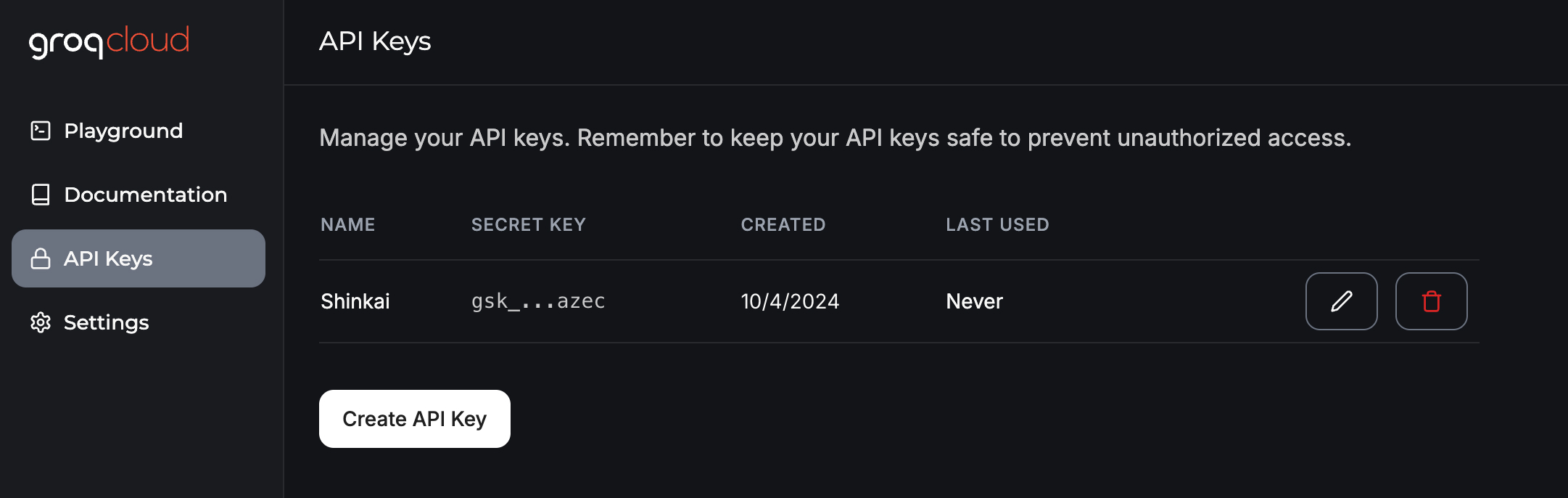 Copy the key > Go to your Shinkai Desktop App
 - 2Install the model in Shinkai
Open Shinkai > Go to
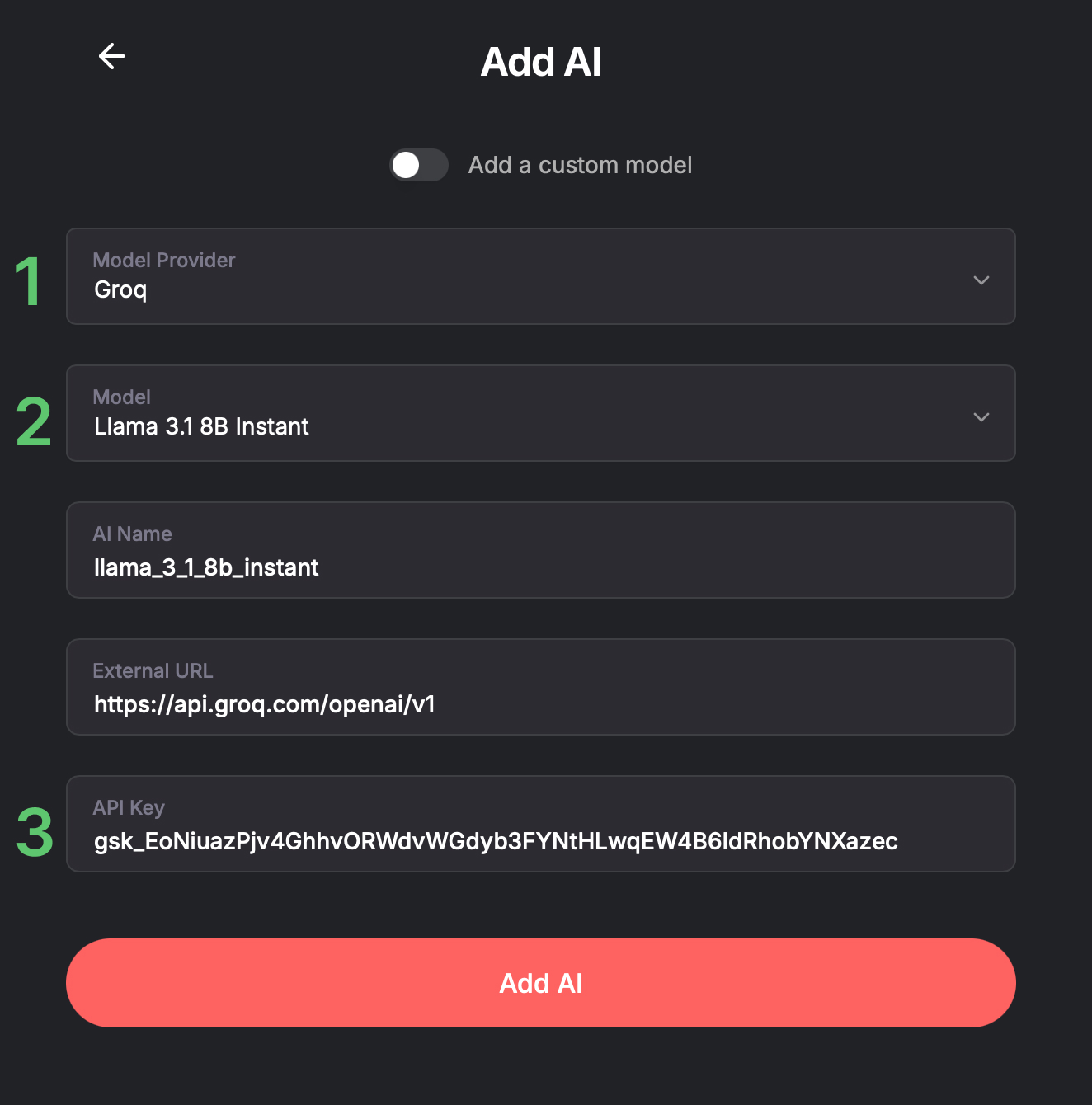
AIs>+ Add AI>+ Manually Add AI- Select Groq in Model Provider.
- Select the Model Type you'd like to install (i.e., Llama3 Groq 70b, or Custom` for other models)
(Optional) You can edit the AI Name --> This is how it will be displayed in your Chats view.
3. Paste the API key you created in step 1 >This field only accepts alphanumeric characters and underscores.Add AI